IPTV UK Free Trial: How I Test Before Paying
Updated 26 July 2026 · A match-day test checklist, not a sales pitch
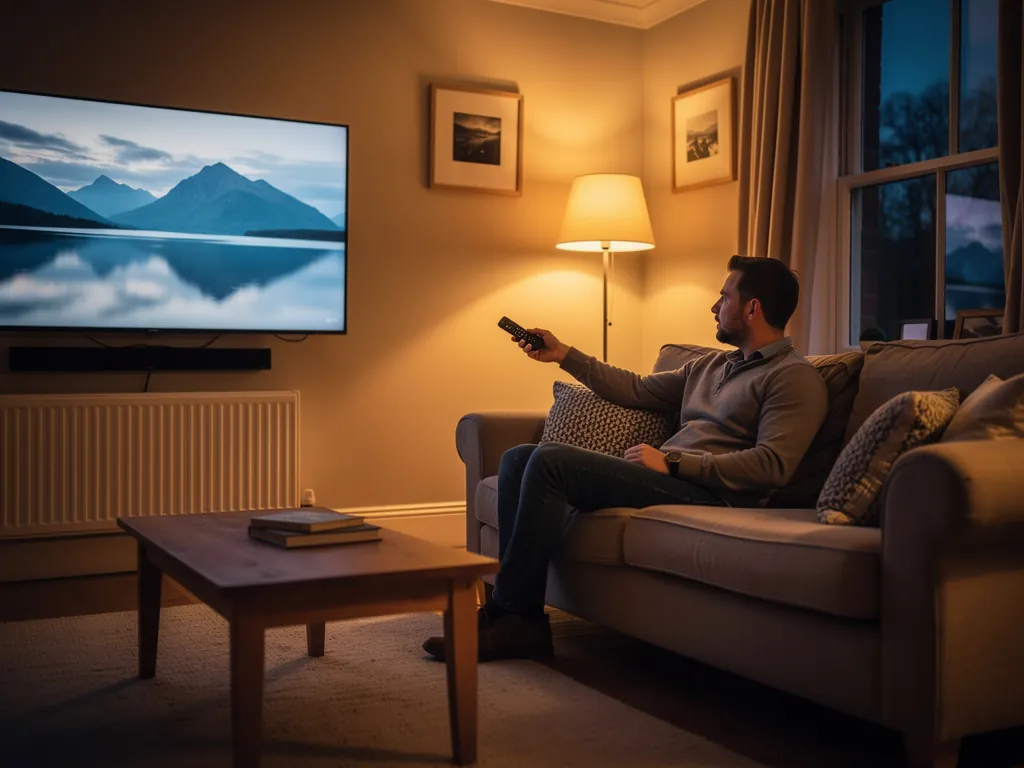
I used to treat free trials like a formality. I would open a couple of channels on a quiet Tuesday, see a picture, and assume I was safe. Then Saturday night arrived, a big Premier League game kicked off, and the stream turned into a slideshow. That is how you waste a month of money. Now I treat every IPTV UK free trial as a stress test, not a browse session. This page is the exact method I use before I ever open the pricing page.
If you want the wider buyer picture first, start with my best IPTV UK guide. For football-specific channel checks, the Premier League match-day setup guide sits next to this one. For the full install path, use the Firestick Xtream Codes walkthrough.
Why a free trial beats a review every time
Reviews can lie. Channel counts can lie. A demo on someone else's WiFi can lie. Your own Firestick on your own BT, Virgin, Sky or Starlink line does not lie. The UK sports fan pain is specific: constant buffering during football matches, channels randomly disappearing, and support that never replies. You only catch those failure patterns under peak load, when everyone else is watching the same kickoff.
That is why I never buy on a promise. I buy after a trial survives the exact conditions I care about. Peak load is the dealbreaker. Fine at 2am means nothing if Saturday-night big matches freeze. ISP throttling on match nights is real too, so the test has to happen on the same network you will use every weekend.
What a real IPTV UK free trial should look like
Not every "free trial" is free, and not every free hour is useful. Here is the filter I use before I even install an app.
| Signal | What good looks like | Walk away if |
|---|---|---|
| Duration | A full 24-hour free trial window | A 30-minute teaser that ends before kickoff |
| Payment details | No credit card required to start | They demand a card "just to hold the account" |
| Login style | Normal Xtream Codes login on a player app | Weird APK sideloads with no login, or a "lifetime box" story |
| Channel list | Live Sky Sports, TNT Sports, BBC and ITV present | Sports folders full of dead or renamed placeholders |
| Support path | A real reply channel if something fails mid-test | Silence after you report a broken stream |
The lifetime-box trap still catches people. A local seller takes around ninety euros for a "fully loaded" Android box with every channel and lifetime access. It works a few weeks, then the subscription dies and the seller disappears. A free trial you control is the opposite of that. There is no vanished seller, no prepaid mystery hardware, and no second payment to "fix" a box that already failed.
My exact free-trial setup before match day
I set the trial up early enough that I am not scrambling five minutes before kickoff. The boring path is the one that works: Firestick, a proper player, and three login bits. If a service turns this into a hacking tutorial, I leave.
- Plug in a Fire TV Stick 4K and power it properly, not from a weak TV USB port that starves the stick under load.
- Install a player that accepts Xtream Codes (server URL, username, password). That three-field login is the normal UK consumer path.
- Enter the line carefully. One mistyped character gives you an empty list and a false "this service is dead" panic.
- Favourite the sports channels first: Sky Sports Main Event, Sky Sports Premier League, TNT Sports 1 and 2, plus BBC and ITV for highlights and cup coverage.
- Confirm the schedule for the night on the live schedule page, so you know which channel should actually be carrying the match.
- Do a quiet warm-up stream for five minutes to confirm login and picture, then save the real test for peak time.
If you need every click spelled out, the setup guide covers the install path without turning it into firmware flashing theatre. Keep the free trial window for judging quality, not for fighting the remote.
The match-night checklist I actually run
This is the part most people skip, and it is why they still get burned. A free trial is not "does a channel open?" A free trial is "does the stream stay rock-solid when the match is live?"
| Moment | What I watch for | Pass or fail |
|---|---|---|
| First five minutes | Fast load, sharp picture, correct channel | Soft, pixelated, or long black screen = fail |
| Fast break or goal | Motion stays clean on camera pans | Smear and blur = low-bitrate mirror |
| Half time traffic spike | No sudden freeze when people rejoin | Reconnect wheel mid-break = weak capacity |
| Final ten minutes | No spinning wheel at the climax | Any freeze here is an automatic no |
| Second device check (optional) | Phone or tablet still plays if you need it | Only if you plan multi-room use |
I also check whether the feed is a full-quality UK sports stream or a washed-out copy of someone else's telly. Channel names can be right while the bitrate is wrong. You only catch that when the ball moves quickly across the pitch. If you want the deeper buffering diagnosis after a fail, use my guide on fixing IPTV buffering during football matches.
Home fixes I try during the trial (before I blame the provider)
Some free-trial fails are the house, not the service. I fix those first so I do not write off a good line for a bad WiFi day.
- Go wired if you can. Ethernet into the stick or box beats congested WiFi for live sports every time.
- Use 5GHz WiFi if cable is impossible. 2.4GHz is crowded with every neighbour device.
- Try a VPN on match nights if your ISP seems to throttle heavy streams. It is not magic, but it fixes a lot of mystery freezes on BT, Virgin and Sky lines.
- Clear the player app cache before kickoff so stale data is not sitting in the way.
- Pause big downloads in the house during the first half. One update can eat the bandwidth your match needs.
After those fixes, if the stream still collapses only at peak time, that is oversold provider capacity. You cannot patch that with a better remote. That is the whole point of the free trial: catch oversold servers before your card is involved.
Run the 24-hour free trial tonight
No credit card. Full access on your Firestick. Use a real match on your own broadband as the test, then decide. If it holds at kickoff, keep it. If it stutters, walk away having paid nothing.
Start My 24-Hour Free TrialWhat I refuse to test on a free trial
I do not waste the 24 hours on movie folders and random news channels. Those do not predict match day. I also do not trust a "4K" badge during the trial unless the source actually looks like real 3840 by 2160. A lot of what gets sold as 4K is upscaled 1080p, and football fans have learned to be cynical about the badge for a reason.
And I never treat a free trial as permission to skip the scam checks. If the seller pivots into a prepaid box, a crypto-only "upgrade", or a second payment to unlock sports, I end the trial and leave. The fully loaded box lifetime scam story is still the most common way UK buyers lose money before they ever get a clean test.
Pass, fail, and what I do next
If the trial passes all four match-night checks, I look at the plan cost as a single flat number with sports included, not a Sky-plus-TNT stack on top of broadband. Our plans start from the published pricing page, and the free trial is still the gate. If the trial fails even one of those peak-time checks, I do not negotiate with myself. I cancel the idea and keep looking.
That discipline is what stopped me switching providers every fortnight. "Smooth during matches" is the only review that matters, and you write it yourself after one honest free trial. Support that never replies is also a fail, even if the picture looked fine for twenty minutes. A service that goes quiet mid-test will go quieter after you pay.